Users
Admins add people and set what they may do on the Users page.
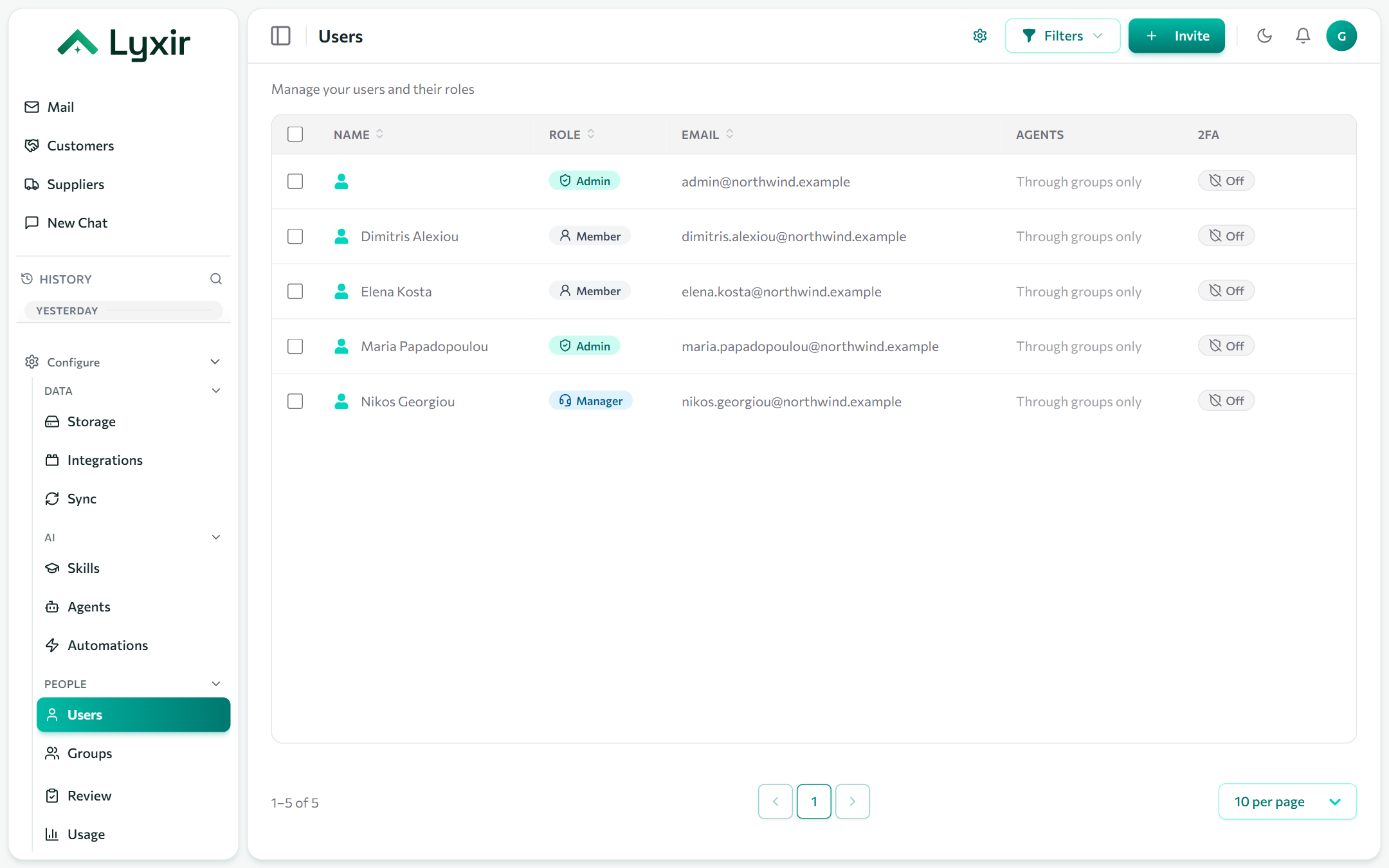
Adding someone
- Users → Create.
- Enter their email and name, and pick a role.
- Leave the password empty to send an invitation: they choose their own password from the email. Or set a password for them.
Roles
| Role | Can |
|---|---|
| Admin | Everything: users, groups, integrations, syncs, usage and every agent. |
| Manager | Build agents, skills, automations and groups; sees all documents. |
| Member | Chat with the agents they are given and see what is shared with them. |
Agents
- Agents for all users, at the top of the page: agents everyone may use, in a group or not. Leave one out to give it only to the groups and people you pick.
- One person's agents, on their row: on top of their groups' and everyone's.
Groups give agents to their members: see Groups and modules.
Two-factor authentication
People turn it on under Settings → Security with an authenticator app, and get ten single-use recovery codes. Admins can:
- require it of everyone (Settings → Security) or of one person (their row): they set it up at their next sign-in;
- reset someone's authenticator when they lose their phone.
Turning someone off
Deactivate a user to sign them out and stop them signing in, keeping their conversations and automations. Delete only when you are sure: it cannot be undone.