 Email (IMAP/SMTP)
Connect any mailbox over IMAP and SMTP: Fastmail, iCloud, your host's mail, or Gmail with an app password. Search its mail as knowledge, read and answer it in Mail, let an agent answer an inbox, or let agents send email.
:::tip Google Workspace or Microsoft 365? Use Google Gmail or Microsoft Outlook instead: they sign in with Google or Microsoft, with no password to keep. Microsoft 365 no longer accepts passwords over IMAP at all. :::
Before you start
You need the mailbox's address, its password (or an app password), and its provider's IMAP and SMTP server names. Your provider's help pages list them under "mail settings" or "set up a mail app".
With two-step verification on, most providers refuse the account's password: make an app password instead.
- Google: Google Account → Security → App passwords.
- iCloud: account.apple.com → App-Specific Passwords.
Set it up
-
Integrations → Add → Email (IMAP/SMTP).
-
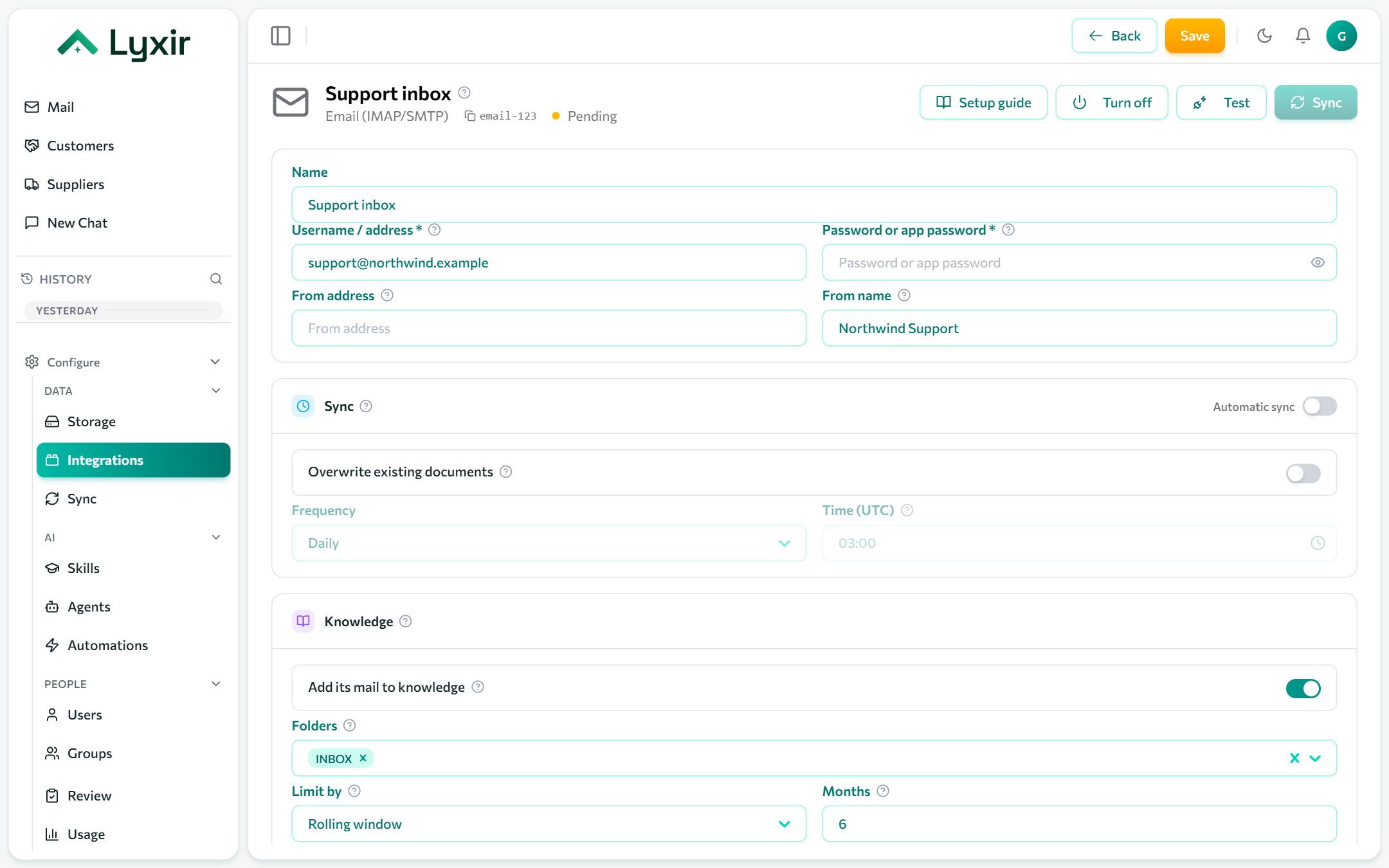
Fill in the account:
Field What goes there Username / address Usually the full email address. Password or app password Encrypted, never shown again. From address An address this account may send as (defaults to the username). Most servers reject any other. From name What recipients see beside the address, e.g. Acme Support. -
Fill in Servers:
Field Usual value IMAP host imap.gmail.com,imap.fastmail.com,imap.mail.me.comIMAP port / IMAP over TLS 993, on. (143with TLS off only for a server without TLS.)SMTP host smtp.gmail.com,smtp.fastmail.com,smtp.mail.me.comSMTP port / SMTP over TLS 587, off (STARTTLS).465, on, when the provider says SSL/TLS. -
Save, then Test.
Let an agent answer an inbox
Under Answering, turn on Agents answer this inbox, pick the
Inbound folder (INBOX, or a subfolder as the server spells it:
INBOX/Support or INBOX.Support) and the Agent (empty: the default
agent). New mail arriving there gets an answer from that agent.
Let agents send email
Turn on Agents may send email. Agents can then propose emails from this mailbox; each is sent only once a person approves it in Review.
Mail and knowledge
Show in Mail, classes, folders, how far back to read, readers and attachments are the same for every mailbox: see Mailboxes. For IMAP, the folders Mail reads are also the ones ingested as knowledge.
Troubleshooting
| Error | Usually |
|---|---|
| Authentication failed | Two-step verification is on: use an app password. |
| Connection timed out | Wrong host or port, or TLS on for a port without it (or the reverse). |
| Sending refused | The From address is not one this account may send as. |
| Folder not found | Spell the folder as the server does, separator included. |