 Google Drive
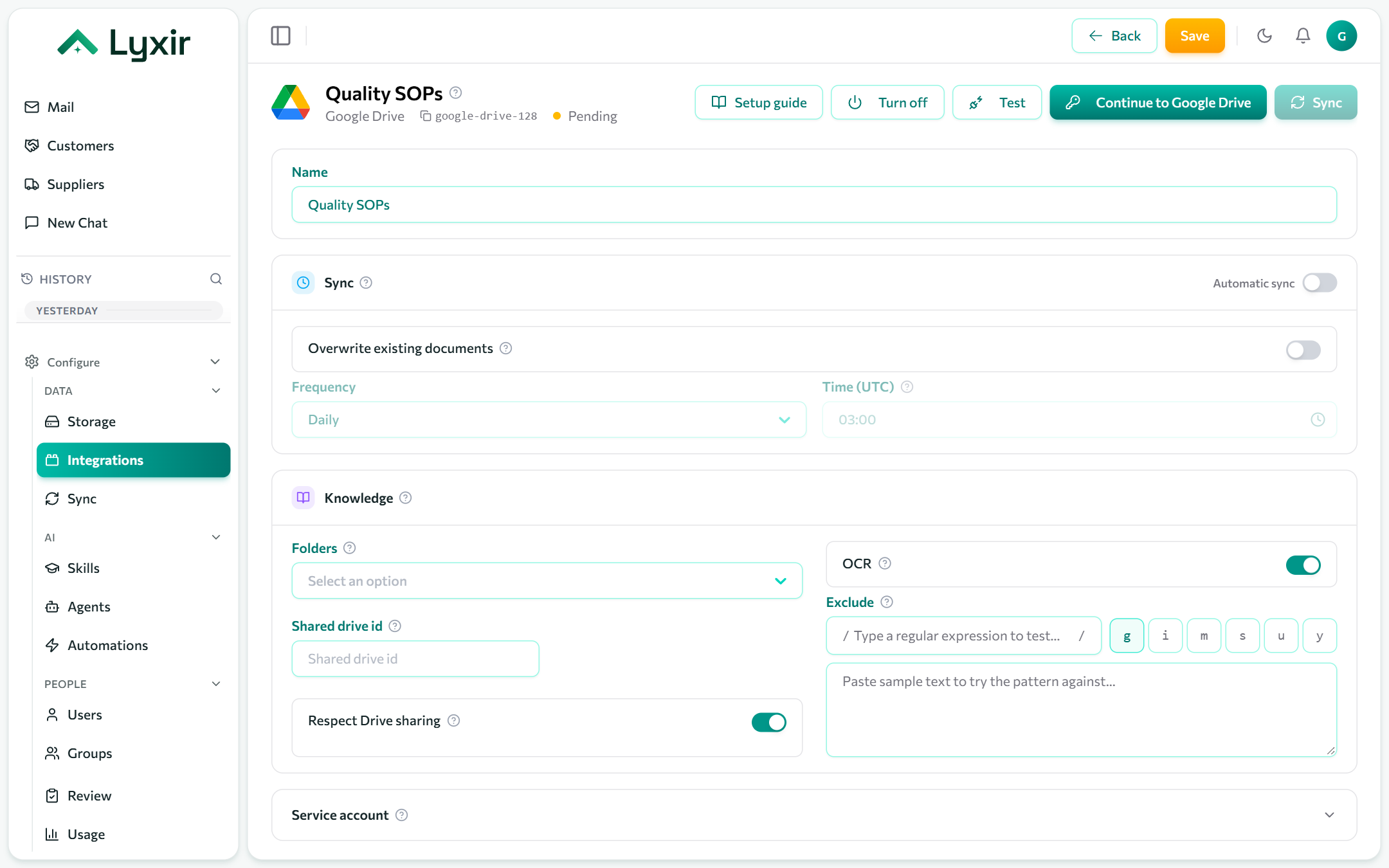
Ingest Google Docs, Sheets, Slides, PDFs and Office files from a Google Workspace Drive, keeping Drive's sharing: a document is found only by the people it is shared with.
For a personal Google account, use Google Drive (personal).
Connect with Google
- Integrations → Add → Google Drive.
- Click Connect with Google and sign in with the account whose Drive to read. It reads every file that account can open, so a dedicated account with only the right folders shared to it keeps the scope tight.
- Approve the access Google asks for. You come back to the connection.
- Choose what to ingest (below) and Save. The first sync starts.
Or: a service account
The service account acts as one user of your domain through domain-wide delegation.
-
Google Cloud console → APIs & Services: enable the Google Drive API in a project.
-
IAM & Admin → Service accounts → Create service account, then Keys → Add key → JSON.
-
Google Admin console → Security → Access and data control → API controls → Manage domain-wide delegation → Add new: the service account's client ID, with the scope:
https://www.googleapis.com/auth/drive.readonlyFor agents that change files, use
https://www.googleapis.com/auth/driveinstead. -
On the connection, open Service account and paste the whole key file (Service account key (JSON)) and the user to act as (Impersonate user, e.g.
anna@yourcompany.com). -
Save, then Test.
What to ingest
| Setting | What it does |
|---|---|
| Folders | Folder ids to ingest, with everything under them. Empty: every file the account can see. A folder's id is the end of its address, after /folders/. Press Enter after each. |
| Shared drive id | Limit to one shared drive (its id is the end of its address, after /folders/). |
| Respect Drive sharing | Only show a document to the people it is shared with in Drive. |
Sync, OCR and exclusions: see Common settings.
What agents may do
| Switch | Gives agents |
|---|---|
| Agents may list folders | A tool listing a folder as it is right now, including files not indexed yet. Anyone using such an agent sees the names of every file this account can open. |
| Agents may create and change files | Proposed new folders and text files, content replacements, renames and moves, each run as this account once a person approves it. |
| Agents may delete files | Proposed moves to the Drive trash, where they can be restored. |
Connections made before file changes were available need a Reconnect to grant the extra access.