 Google Drive (personal)
Ingest Google Docs, Sheets, Slides, PDFs and Office files from a personal Google Drive: My Drive and files shared with the account.
For a Google Workspace Drive, use Google Drive.
Connect
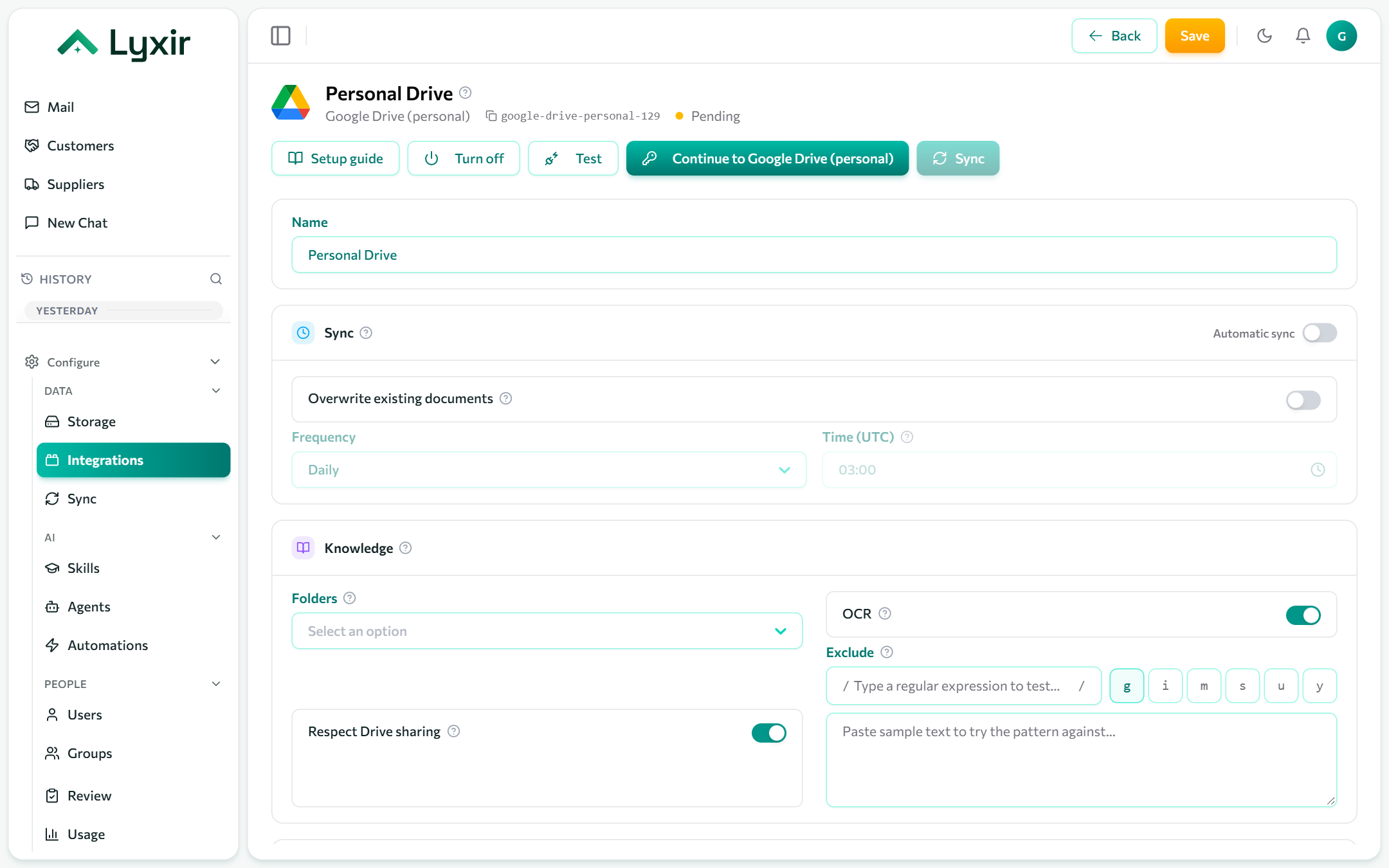
- Integrations → Add → Google Drive (personal).
- Click Connect with Google and sign in with the personal account.
- Approve the access Google asks for. You come back to the connection.
- Choose what to ingest and Save. The first sync starts.
What to ingest
| Setting | What it does |
|---|---|
| Folders | Folder ids to ingest, with everything under them. Empty: every file the account can see. A folder's id is the end of its address, after /folders/. |
| Respect Drive sharing | Only show a document to the Drive's owner and the people it is shared with. Files shared with anyone are visible to everyone allowed this connection. |
Sync, OCR and exclusions: see Common settings.
What agents may do
| Switch | Gives agents |
|---|---|
| Agents may list folders | A tool listing a folder as it is right now, including files not indexed yet. |
| Agents may create and change files | Proposed new folders and text files, content replacements, renames and moves, each once a person approves it. |
| Agents may delete files | Proposed moves to the Drive trash, where they can be restored. |