 Google Workspace
Give IT agents your Google Workspace directory: look people up, and propose suspending and re-enabling accounts, signing people out, resetting passwords, and changing groups and licenses. Every change waits for a person's confirmation.
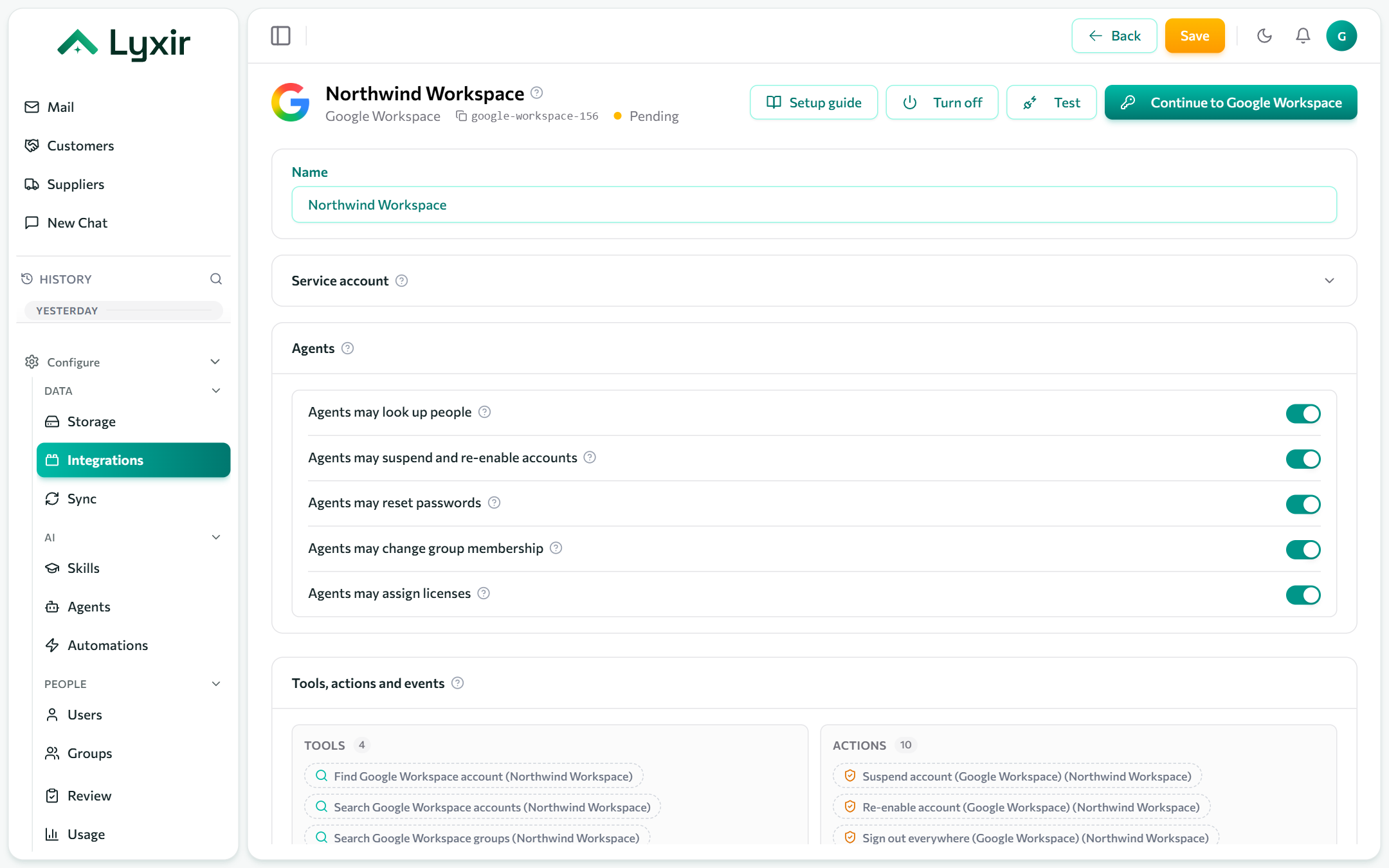
Connect with Google
- Integrations → Add → Google Workspace.
- Click Connect with Google and sign in as an admin of your Workspace domain.
- Allow the access Google asks for (users, group membership and licenses).
- Choose what agents may do (below) and Save.
Google checks the admin's own role on every change. A delegated admin can only act on the users and groups their role covers.
Or: a service account
For a connection that does not depend on one admin's sign-in.
-
Google Cloud console → APIs & Services: enable the Admin SDK API and the Enterprise License Manager API in a project.
-
IAM & Admin → Service accounts → Create service account, then Keys → Add key → JSON.
-
Google Admin console → Security → Access and data control → API controls → Manage domain-wide delegation → Add new: the service account's client ID, with the scopes
https://www.googleapis.com/auth/admin.directory.user,https://www.googleapis.com/auth/admin.directory.group.readonly,https://www.googleapis.com/auth/admin.directory.group.member,https://www.googleapis.com/auth/apps.licensing. -
On the connection, open Service account and fill in:
Field What to enter Service account key (JSON) The whole .jsonkey file, braces included.Impersonate user An admin of your domain, e.g. it-admin@yourcompany.com. The service account acts as them. -
Save, then Test.
What agents may do
Each switch is off until you turn it on. Agents only propose changes: the person who asked confirms each one, and your approval rules can require someone else to approve it as well.
| Switch | What it offers |
|---|---|
| Agents may look up people | Find an account (whether it can sign in, its groups and licenses), search accounts and groups, list the Workspace editions. |
| Agents may suspend and re-enable accounts | Suspend an account (sign-in blocked, nothing deleted), re-enable it, and sign someone out everywhere. |
| Agents may reset passwords | Reset a password. A new one is generated and must be changed at the next sign-in. |
| Agents may change group membership | Add someone to a group, remove them from one, or from all of them (for offboarding). |
| Agents may assign licenses | Assign a Workspace edition, remove one, or remove all of them. |
New passwords
The agent never sees a new password, and it never appears in the chat or on the Review page. Once the reset is done, the person who asked for it gets a Reveal password button on the action's card. It shows the password once: copy it and pass it on safely. A password not revealed within 24 hours is erased.
Members (not admins) can only ask for changes to their own account, so self-service password resets work without giving them power over anyone else.
Good to know
- A person holds one Workspace edition at a time. Assigning another edition moves them to it.
- Google cannot tell which editions your domain holds, so the list is all of Google's. Assigning one you have no seats for fails with Google's explanation.
- Licenses assigned automatically (by organisational unit) cannot be removed by hand.