 AADE myDATA for accounting offices

An accounting office's clients' invoices on AADE myDATA. Each client is a customer in the Customers module with an ΑΦΜ, reached with its own myDATA key or with the office's on its behalf. Agents search and reconcile the invoices, look up ΑΦΜs and propose expense classifications.
For a single business, use AADE myDATA.
Set it up
-
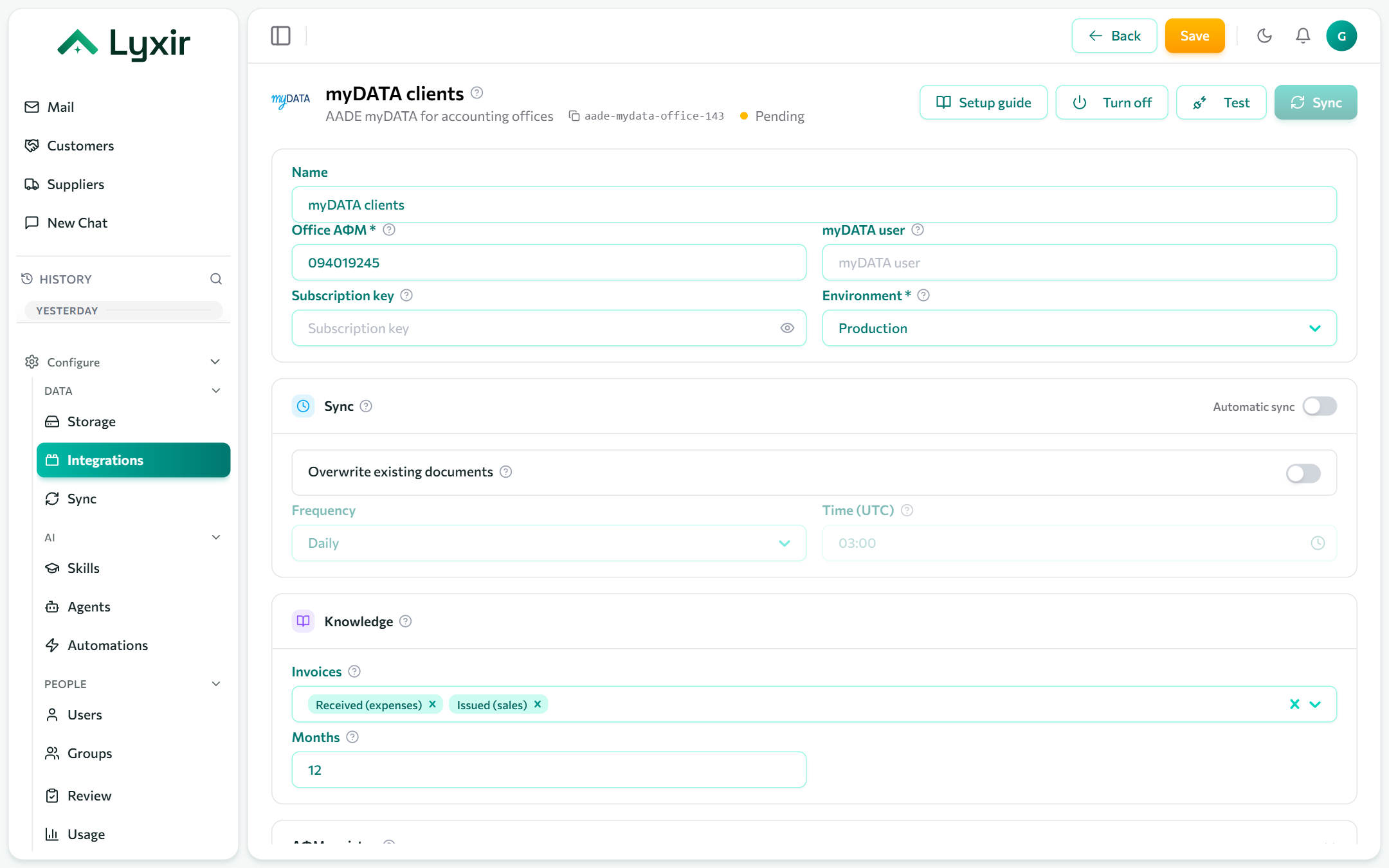
Integrations → Add → AADE myDATA for accounting offices.
-
Fill in:
Field What goes there Office ΑΦΜ The office's own tax id, 9 digits. myDATA user / Subscription key Optional: the office's own myDATA API user (myDATA → "Εγγραφή στο myDATA REST API"), used for every client without a key of its own. Environment Production, or Test ( mydataapidev) for developer-portal keys. -
Save, then Test.
Clients
Add each client as a customer with its ΑΦΜ. A client is reached either:
- with its own key: its myDATA user and subscription key, set on the customer, or
- with the office's key: the client must have authorised the office on myDATA.
ΑΦΜ registry (optional)
With the special access codes, agents can look up any ΑΦΜ: name, ΔΟΥ, address, status and ΚΑΔ. In Taxisnet, "Αναζήτηση Βασικών Στοιχείων Μητρώου Επιχειρήσεων" → "Διαχείριση Ειδικών Κωδικών": create the special codes for the RgWsPublic2 service (not the Taxisnet password) and paste them as Special access user and Special access password.
What to ingest
| Setting | What it does |
|---|---|
| Invoices | Received (expenses), issued (sales), or both. |
| Months | How far back to ingest, by issue date. At most 60. |
Sync: see Common settings.
What agents may do
| Switch | Gives agents |
|---|---|
| Classify expenses | Proposed expense classifications (E3 and VAT) of received invoices, each sent to myDATA once a person approves it. |