 Slack
Talk to your agents in Slack, ingest the threads of chosen channels as knowledge, and let agents propose messages to channels.
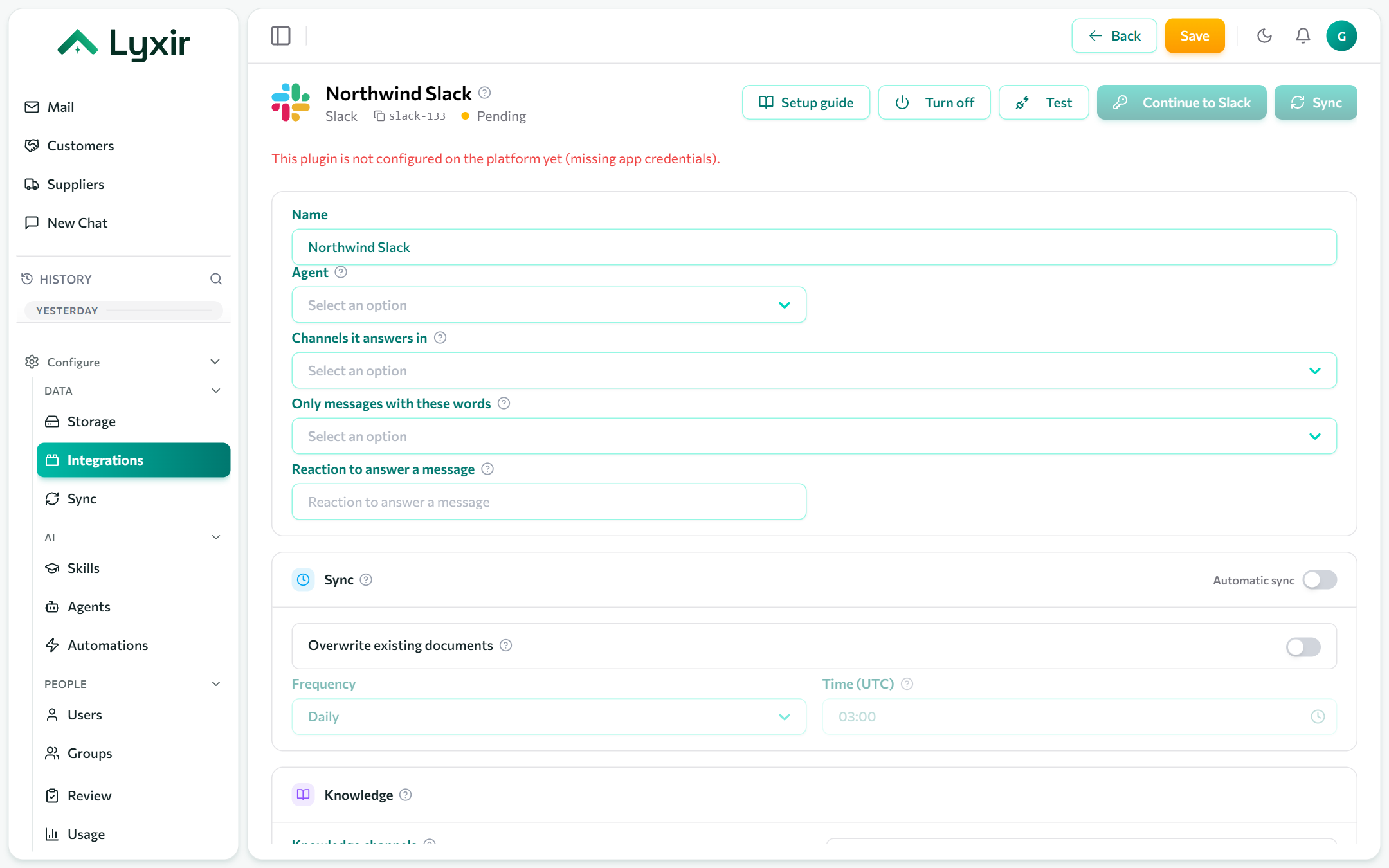
Connect
- Integrations → Add → Slack.
- Click Connect with Slack, pick the workspace, and Allow. Installing an app may need a Slack workspace admin.
- You come back to the connection. Pick the Agent that answers in this workspace (empty: the default agent) and Save.
Each Slack workspace is its own connection.
Talking to an agent
The agent answers:
- a direct message to the app;
- a mention in a channel it is in (
@AppName what is our returns policy?); - every message in the Channels it answers in, without a mention. Fill in Only messages with these words to answer only messages containing one of them;
- a message an admin or manager reacts to with the Reaction to answer a
message (for example
robot_face). The answer is to the message's author, with the author's access.
It answers in the message's thread, writing the answer out as it goes: each step it takes (Searching knowledge, a database query) shows as a task that ticks off, and the sources it used come at the end. Press stop on the message to stop it. Answers longer than Slack allows in one message continue in the next one.
Replies in that thread continue the same conversation (in a channel, a reply needs a mention unless it is a channel it answers in). A thread belongs to the person who started it: the agent answers each person with their own access, so someone else asking in it is asked to start a new thread.
Knowledge channels are never answered, not even a mention, so answers never end up ingested as knowledge.
Add the app to channels
Answering, knowledge and posting all need the app in the channel. In the channel, type
/invite @AppName.
To find a channel's id: open the channel, click its name; the Channel ID
(it starts with C) is at the bottom of the About tab.
What to ingest
| Setting | What it does |
|---|---|
| Knowledge channels | Channel ids whose threads are ingested as knowledge. |
| Exclude | Threads whose first line matches are skipped. |
Sync and OCR: see Common settings.
What agents may do
| Setting | Gives agents |
|---|---|
| Channels agents may post to | Channel ids agents can propose messages to. Each message is posted once a person approves it. |