 Microsoft Teams
Talk to your agents in Microsoft Teams chats and channels, and ingest chosen channels and group chats as knowledge.
Before you start
The Teams app must be available in your organisation. If your Teams admin has not added it yet, they upload or allow it in the Teams admin center → Teams apps → Manage apps. Ask us for the app package if you don't have it.
Connect
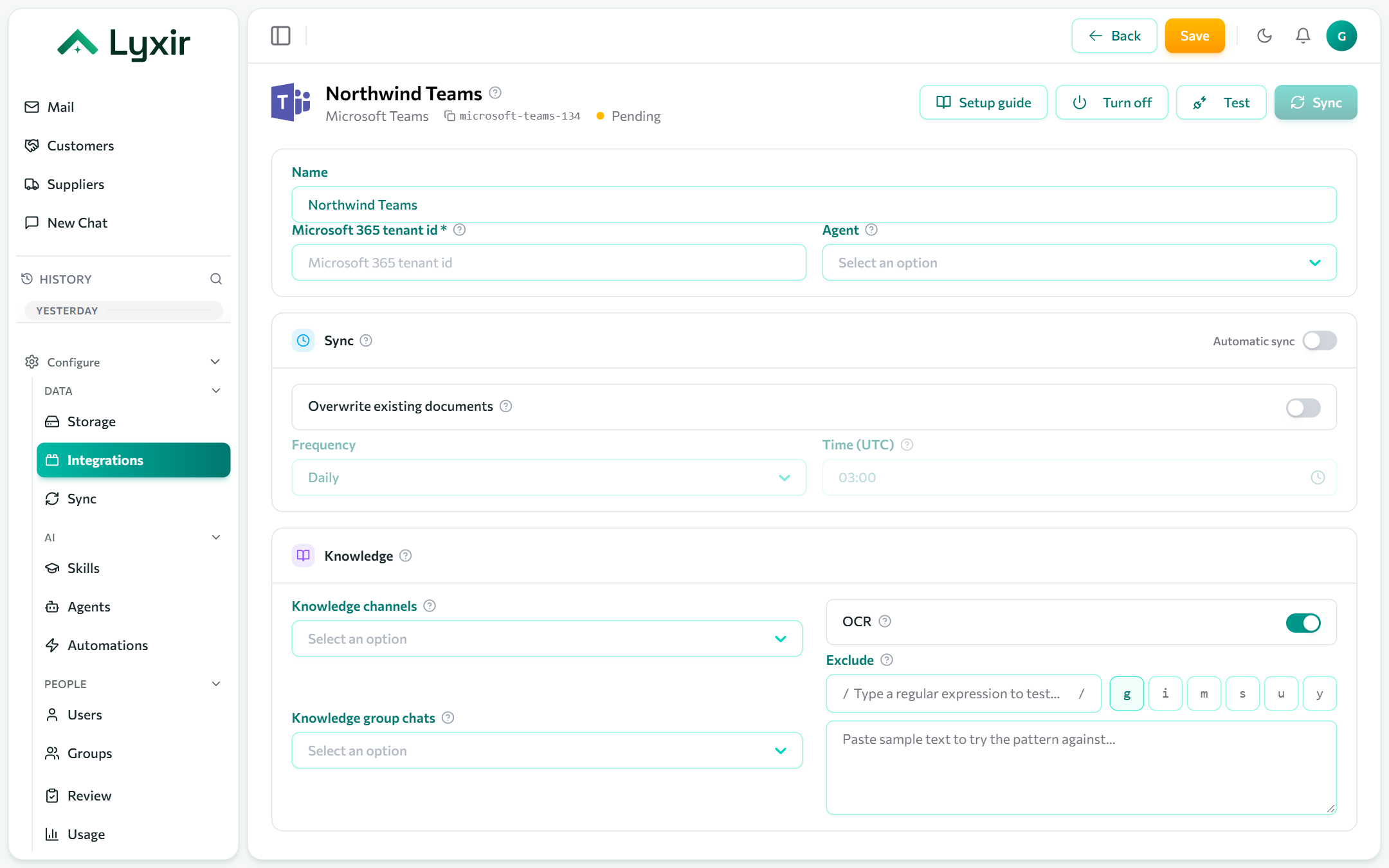
- Integrations → Add → Microsoft Teams.
- Fill in Microsoft 365 tenant id: in the Microsoft Entra admin center → Overview, the Tenant ID (a GUID).
- Pick the Agent that answers in Teams (empty: the default agent).
- Save, then Test.
Talking to an agent
Chat with the app directly, or mention it in a channel or group chat it was added to. It answers in the conversation, citing what it found.
What to ingest
The app must be in the team or chat first:
- A team: Apps → Manage your apps, or the team's ⋯ → Manage team → Apps.
- A group chat: the chat's + → Apps.
| Setting | What it does |
|---|---|
| Knowledge channels | Links to channels whose threads are ingested. Click ⋯ next to the channel → Get link to channel, and paste it. |
| Knowledge group chats | Group chats ingested one document per day. Hover any message → ⋯ → Copy link, and paste it; a chat id (19:…@thread.v2) works too. |
| Exclude | Threads whose first line, and chat days whose title, match are skipped (case-insensitive). |
Sync and OCR: see Common settings.